Emergency unlocking/ locking
Text of these pages
Page 189
Emergency unlocking/ locking
The emergency unlocking/locking features of this vehicle include emergency unfolding o f me rgency unlocking/locking by mechanical key, emergency locking of passenger’s door, automatic unlocking program in case of collision, emergency unlocking device of liftgate, and emergency unlocking device of charger.
Emergency deployment of the hidden door handle
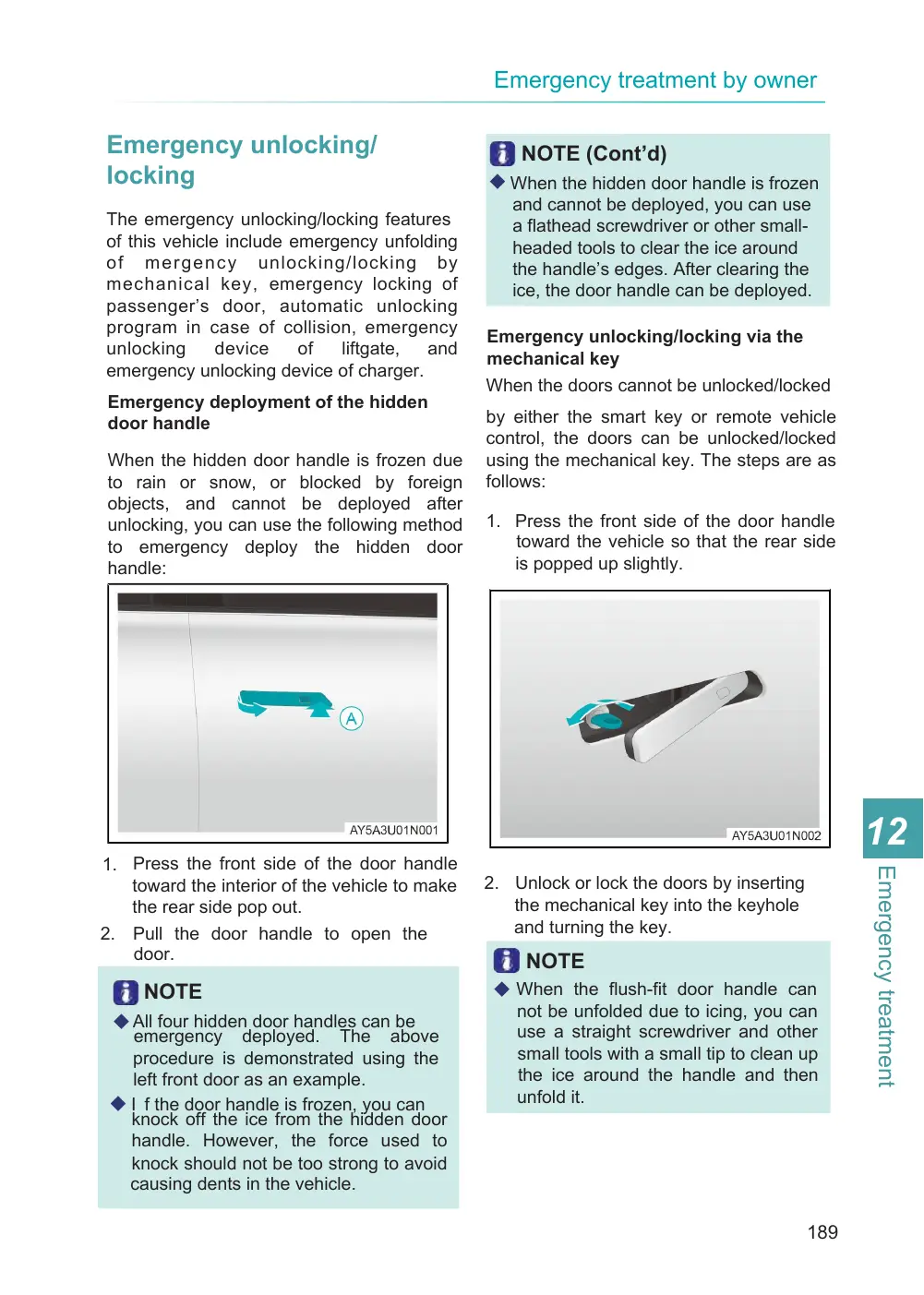
When the hidden door handle is frozen due to rain or snow, or blocked by foreign objects, and cannot be deployed after unlocking, you can use the following method to emergency deploy the hidden door handle:
1. Press the front side of the door handle toward the interior of the vehicle to make the rear side pop out.
2. Pull the door handle to open the door.
NOTE
◆ All four hidden door handles can be emergency deployed. The above procedure is demonstrated using the left front door as an example. ◆ I f the door handle is frozen, you can knock off the ice from the hidden door handle. However, the force used to knock should not be too strong to avoid causing dents in the vehicle.
NOTE (Cont’d)
◆ When the hidden door handle is frozen and cannot be deployed, you can use a flathead screwdriver or other small- headed tools to clear the ice around the handle’s edges. After clearing the ice, the door handle can be deployed.
Emergency unlocking/locking via the mechanical key When the doors cannot be unlocked/locked
by either the smart key or remote vehicle control, the doors can be unlocked/locked using the mechanical key. The steps are as follows:
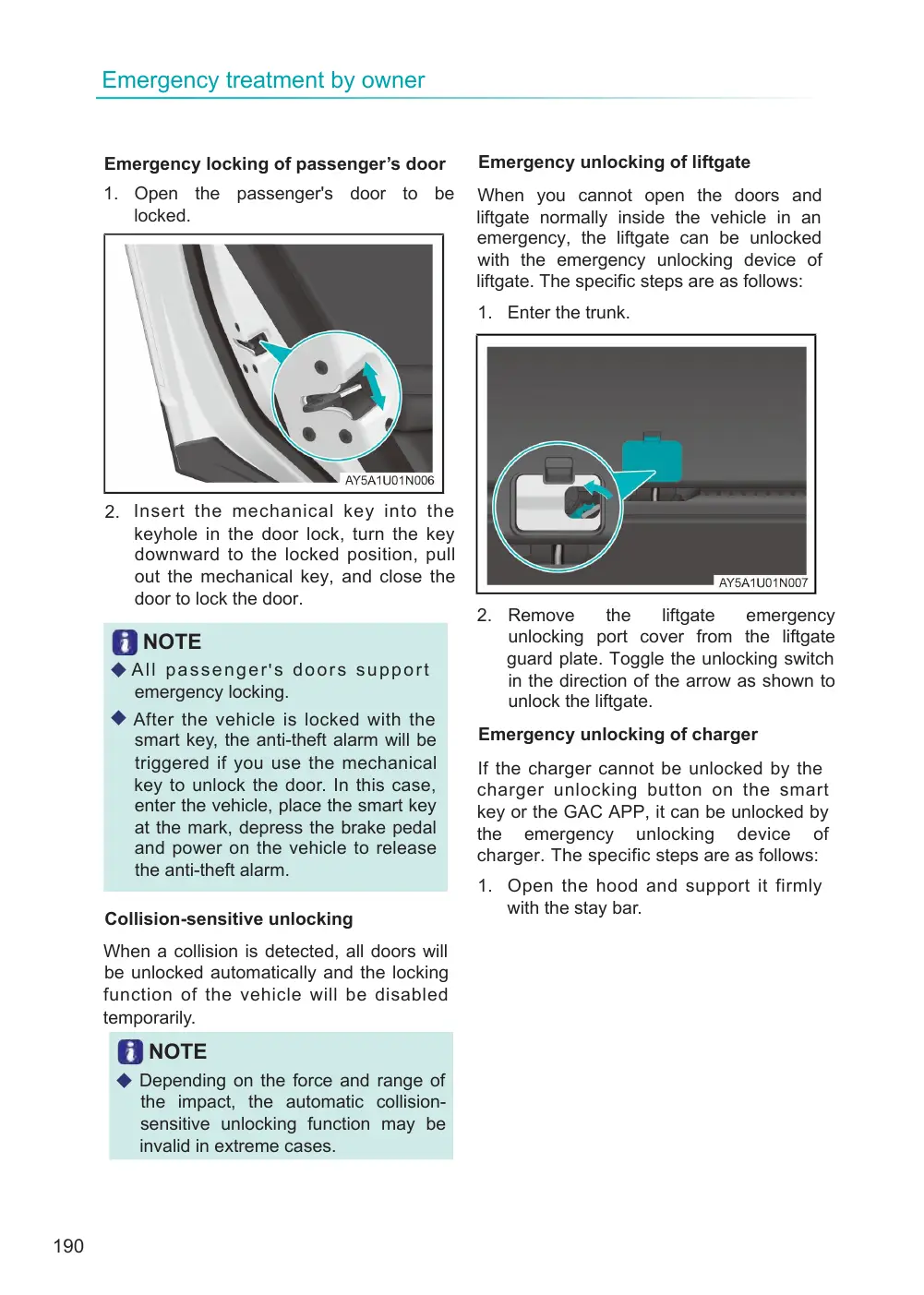
1. Press the front side of the door handle toward the vehicle so that the rear side is popped up slightly.
2. Unlock or lock the doors by inserting the mechanical key into the keyhole and turning the key.
NOTE
◆ When the flush-fit door handle can not be unfolded due to icing, you can use a straight screwdriver and other small tools with a small tip to clean up the ice around the handle and then unfold it.
Page 190
Emergency locking of passenger’s door
1. Open the passenger's door to be locked.
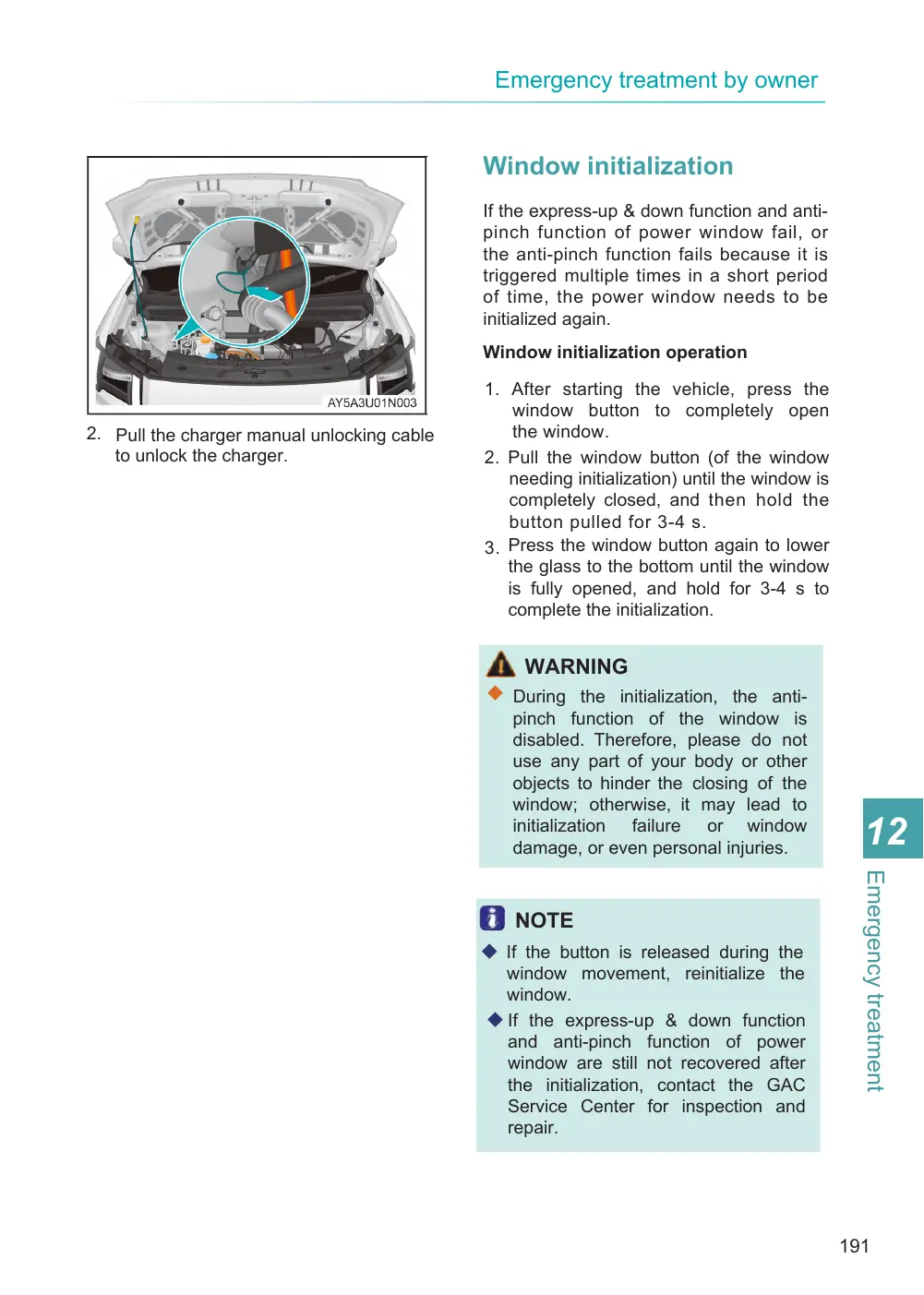
2. Insert the mechanical key into the keyhole in the door lock, turn the key downward to the locked position, pull out the mechanical key, and close the door to lock the door.
NOTE
◆ A l l p a s s e n g e r' s d o o r s s u p p o r t emergency locking.
◆ After the vehicle is locked with the smart key, the anti-theft alarm will be triggered if you use the mechanical key to unlock the door. In this case, enter the vehicle, place the smart key at the mark, depress the brake pedal and power on the vehicle to release the anti-theft alarm.
Collision-sensitive unlocking
When a collision is detected, all doors will be unlocked automatically and the locking function of the vehicle will be disabled temporarily.
NOTE
◆ Depending on the force and range of the impact, the automatic collision- sensitive unlocking function may be invalid in extreme cases.
Emergency unlocking of liftgate
When you cannot open the doors and liftgate normally inside the vehicle in an emergency, the liftgate can be unlocked with the emergency unlocking device of liftgate. The specific steps are as follows:
1. Enter the trunk.
the liftgate emergency 2. Remove unlocking port cover from the liftgate guard plate. Toggle the unlocking switch in the direction of the arrow as shown to unlock the liftgate.
Emergency unlocking of charger
If the charger cannot be unlocked by the charger unlocking button on the smart key or the GAC APP, it can be unlocked by the emergency unlocking device of charger. The specific steps are as follows:
1. Open the hood and support it firmly with the stay bar.
Page 191
2. Pull the charger manual unlocking cable to unlock the charger.
Window initialization
If the express-up & down function and anti- pinch function of power window fail, or the anti-pinch function fails because it is triggered multiple times in a short period of time, the power window needs to be initialized again.
Window initialization operation
1. After starting the vehicle, press the window button to completely open the window. 2. Pull the window button (of the window needing initialization) until the window is completely closed, and then hold the button pulled for 3-4 s. 3. Press the window button again to lower the glass to the bottom until the window is fully opened, and hold for 3-4 s to complete the initialization.
WARNING
◆ During the initialization, the anti- pinch function of the window is disabled. Therefore, please do not use any part of your body or other objects to hinder the closing of the window; otherwise, it may lead to initialization failure or window damage, or even personal injuries.
NOTE
◆ If the button is released during the window movement, reinitialize the window. ◆ If the express-up & down function and anti-pinch function of power window are still not recovered after the initialization, contact the GAC Service Center for inspection and repair.