Adaptive cruise control
Text of these pages
Page 124
Adaptive cruise control
The adaptive cruise control (ACC) applies such sensors as a millimeter wave radar and a camera installed on the front of the vehicle to detect the relative distance between and speeds of your vehicle and the lead vehicle on the same path, to control your vehicle to follow the lead vehicle automatically.
◇ When no lead vehicle is present, the ACC will control the ego vehicle to cruise at the set target speed.
◇ When a lead vehicle is present, the system will automatically control the ego vehicle to cruise according to the ego vehicle speed, the lead vehicle speed and the set safety distance.
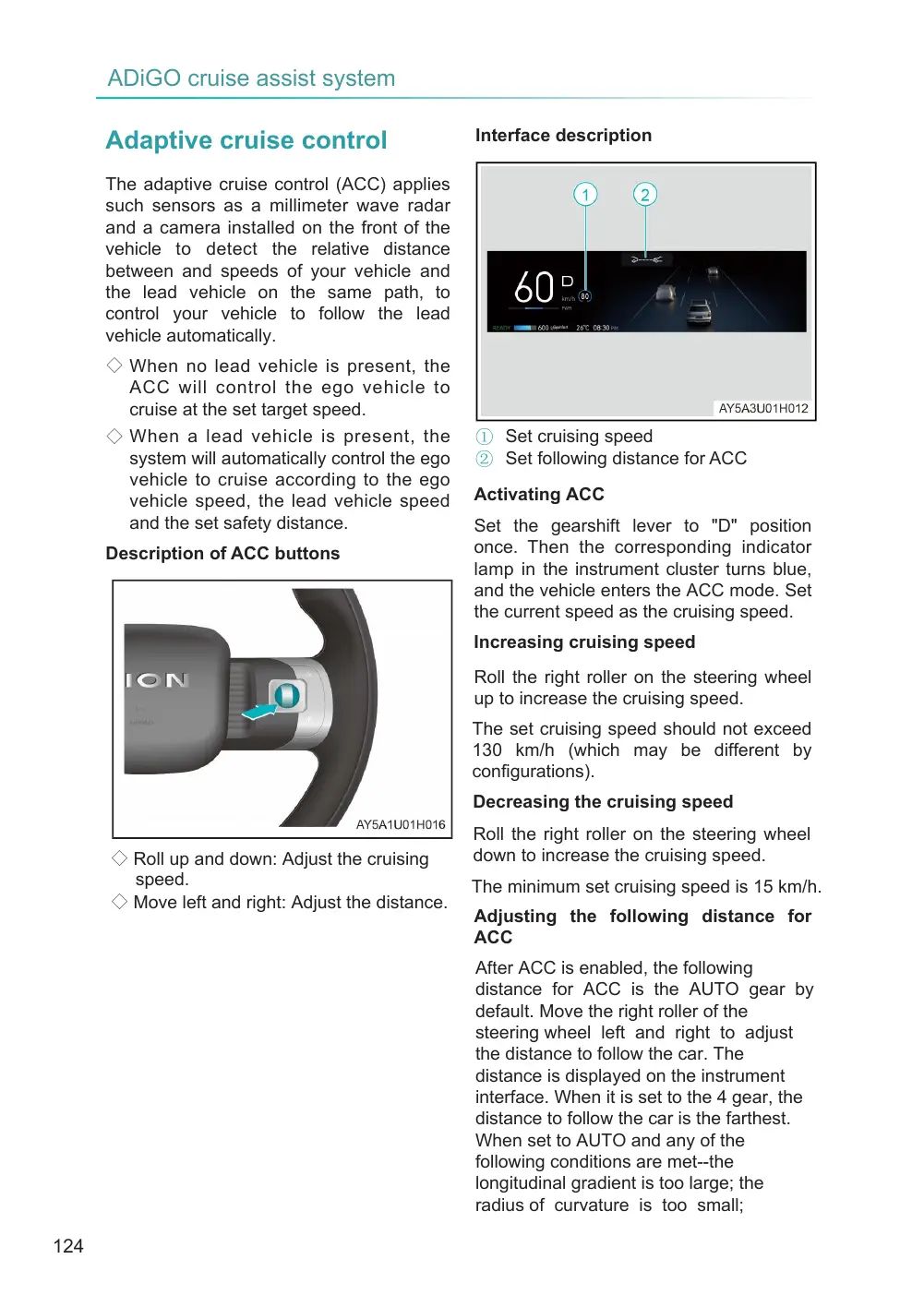
Description of ACC buttons
◇ Roll up and down: Adjust the cruising speed. ◇ Move left and right: Adjust the distance.
Interface description
① Set cruising speed ② Set following distance for ACC
Activating ACC
Set the gearshift lever to "D" position once. Then the corresponding indicator lamp in the instrument cluster turns blue, and the vehicle enters the ACC mode. Set the current speed as the cruising speed.
Increasing cruising speed
Roll the right roller on the steering wheel up to increase the cruising speed.
The set cruising speed should not exceed 130 km/h (which may be different by configurations).
Decreasing the cruising speed
Roll the right roller on the steering wheel down to increase the cruising speed.
The minimum set cruising speed is 15 km/h.
Adjusting the following distance for ACC
After ACC is enabled, the following distance for ACC is the AUTO gear by default. Move the right roller of the steering wheel left and right to adjust the distance to follow the car. The distance is displayed on the instrument interface. When it is set to the 4 gear, the distance to follow the car is the farthest. When set to AUTO and any of the following conditions are met--the longitudinal gradient is too large; the radius of curvature is too small;
Page 125
the weather is bad; the followed target is a special target-- the system can automatically adjust the target following time interval to the 4 gear.
Following stop and starting
In ACC mode, your vehicle will automatically decelerate and stop when the vehicle ahead decelerates and stops. Depending on the stop time of the lead vehicle, when the lead vehicle drives off, the ACC of your vehicle will be in the following 3 states:
◇ In case of short-time stop of the lead vehicle, the pop-up window will read "Cruise waiting". If the lead vehicle drives off now, the system will resume ACC.
◇ In case of long-time stop of the lead vehicle, the pop-up window will read "Cruise waiting". If the lead vehicle drives off now, the instrument will prompt the driver to depress the accelerator pedal to resume ACC.
◇ If there is an obstacle too close to your vehicle and the lead vehicle drives off, regardless of the length of the stopping time, the instrument will prompt the driver to depress the accelerator pedal to resume ACC.
Canceling ACC
If ACC is activated, depress the brake pedal or move the gearshift lever to "R" position once, the vehicle will cancel the cruise state.
System limitations
ACC is subject to limitation of physical laws, and thus in some driving environments, the driver may find that the vehicle incurs a response lag or is not controlled as expected after the reaction of ACC, therefore, the driver must always be ready to control the vehicle. The following conditions will affect functions of the RPA sensor, so the driver must be particularly alert under these conditions:
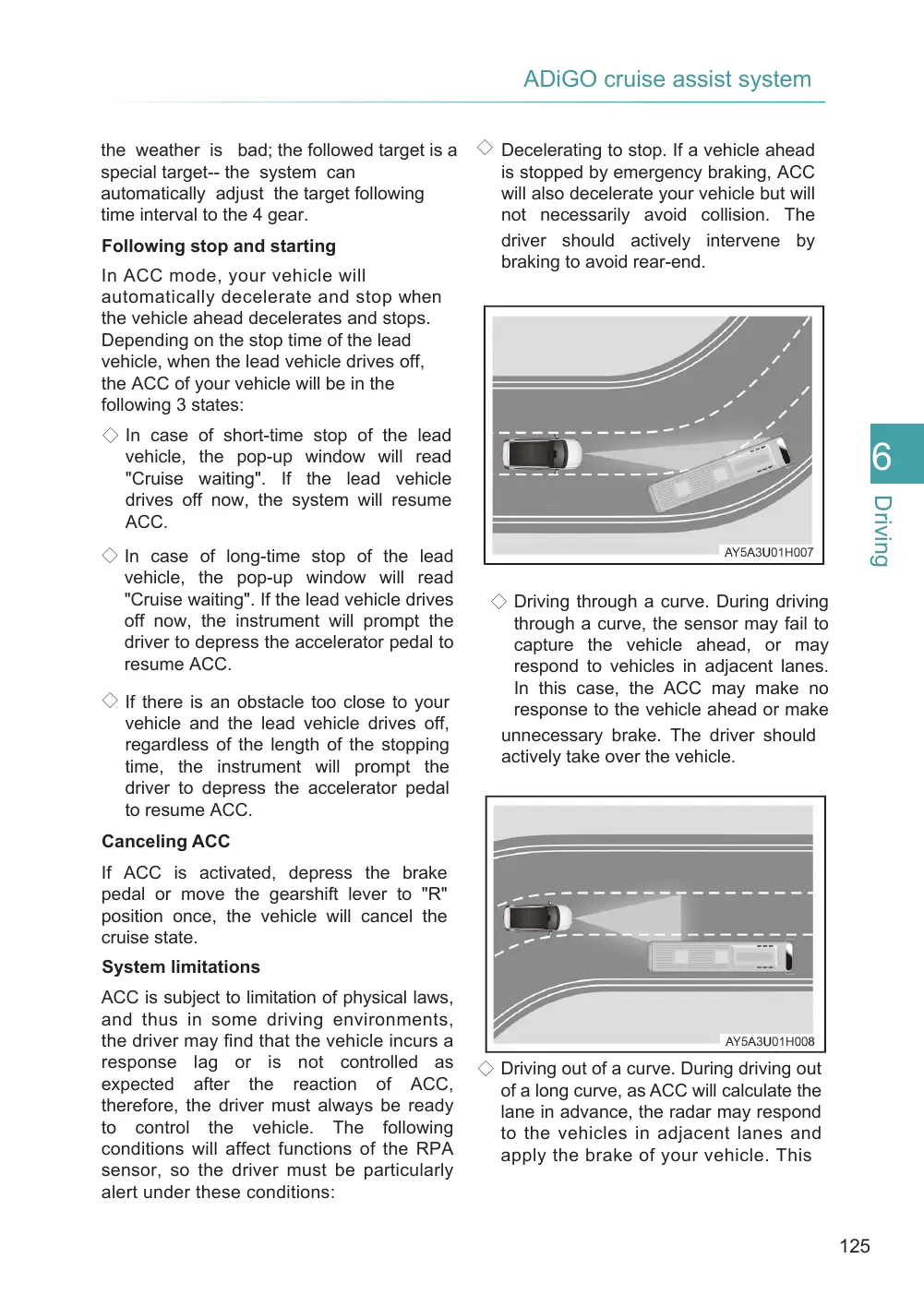
◇ Decelerating to stop. If a vehicle ahead is stopped by emergency braking, ACC will also decelerate your vehicle but will not necessarily avoid collision. The driver should actively intervene by braking to avoid rear-end.
◇ Driving through a curve. During driving through a curve, the sensor may fail to capture the vehicle ahead, or may respond to vehicles in adjacent lanes. In this case, the ACC may make no response to the vehicle ahead or make unnecessary brake. The driver should actively take over the vehicle.
◇ Driving out of a curve. During driving out of a long curve, as ACC will calculate the lane in advance, the radar may respond to the vehicles in adjacent lanes and apply the brake of your vehicle. This
Page 126
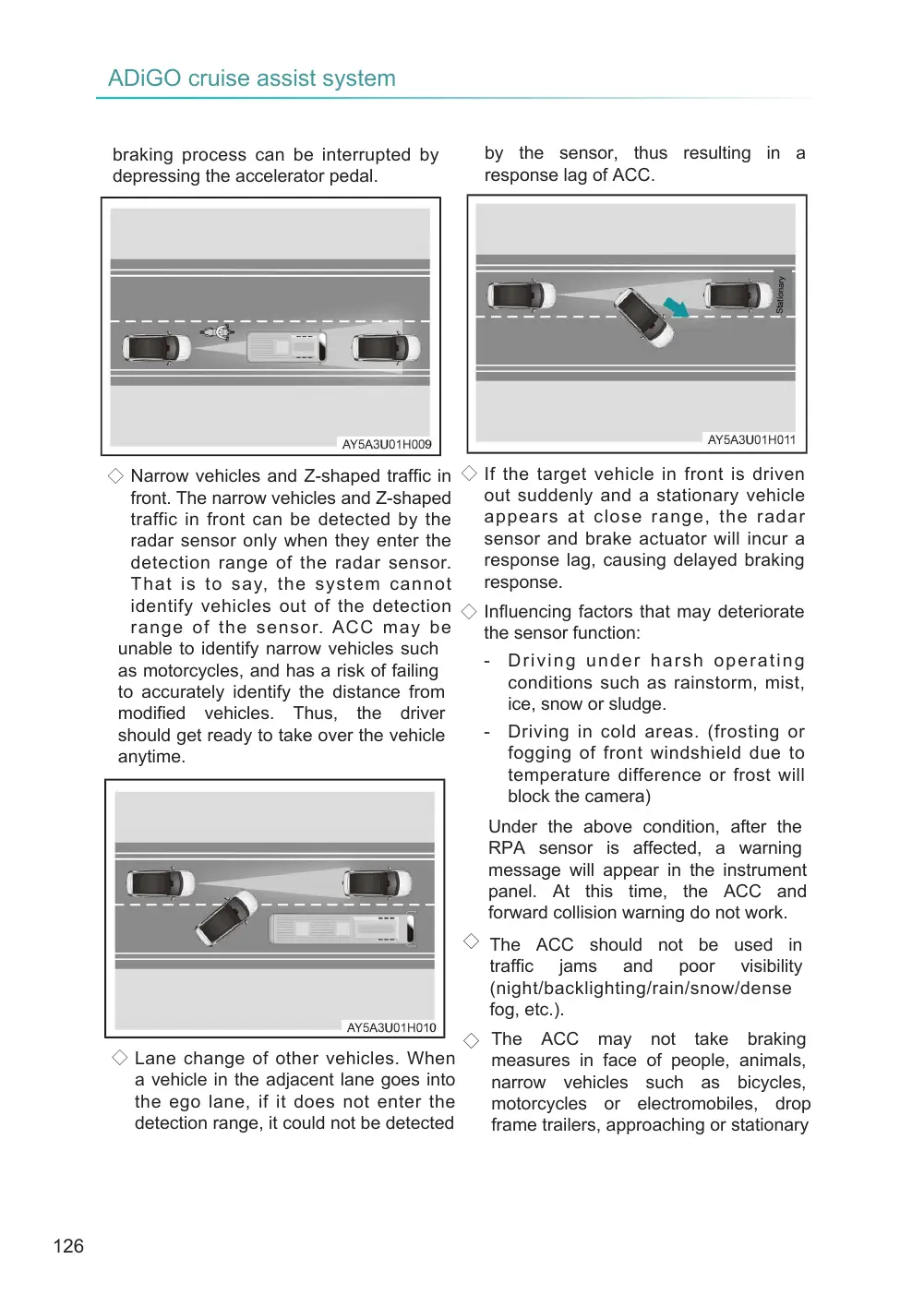
◇ Narrow vehicles and Z-shaped traffic in ◇ If the target vehicle in front is driven out suddenly and a stationary vehicle front. The narrow vehicles and Z-shaped appears at close range, the radar traffic in front can be detected by the sensor and brake actuator will incur a radar sensor only when they enter the response lag, causing delayed braking detection range of the radar sensor. response. That is to say, the system cannot identify vehicles out of the detection ◇ Influencing factors that may deteriorate range of the sensor. ACC may be the sensor function: unable to identify narrow vehicles such - Driving under harsh operating as motorcycles, and has a risk of failing conditions such as rainstorm, mist, to accurately identify the distance from ice, snow or sludge. modified vehicles. Thus, the driver - Driving in cold areas. (frosting or should get ready to take over the vehicle fogging of front windshield due to anytime. temperature difference or frost will block the camera)
braking process can be interrupted by depressing the accelerator pedal.
◇ Lane change of other vehicles. When a vehicle in the adjacent lane goes into the ego lane, if it does not enter the detection range, it could not be detected
by the sensor, thus resulting in a response lag of ACC.
Stationary
Under the above condition, after the RPA sensor is affected, a warning message will appear in the instrument panel. At this time, the ACC and forward collision warning do not work.
◇ The ACC should not be used in traffic jams and poor visibility (night/backlighting/rain/snow/dense fog, etc.).
◇ The ACC may not take braking measures in face of people, animals, narrow vehicles such as bicycles, motorcycles or electromobiles, drop frame trailers, approaching or stationary
Page 127
vehicles, and low-speed or stationary trucks, so the driver should be particularly alert and always be ready to take over the vehicle.
WARNING
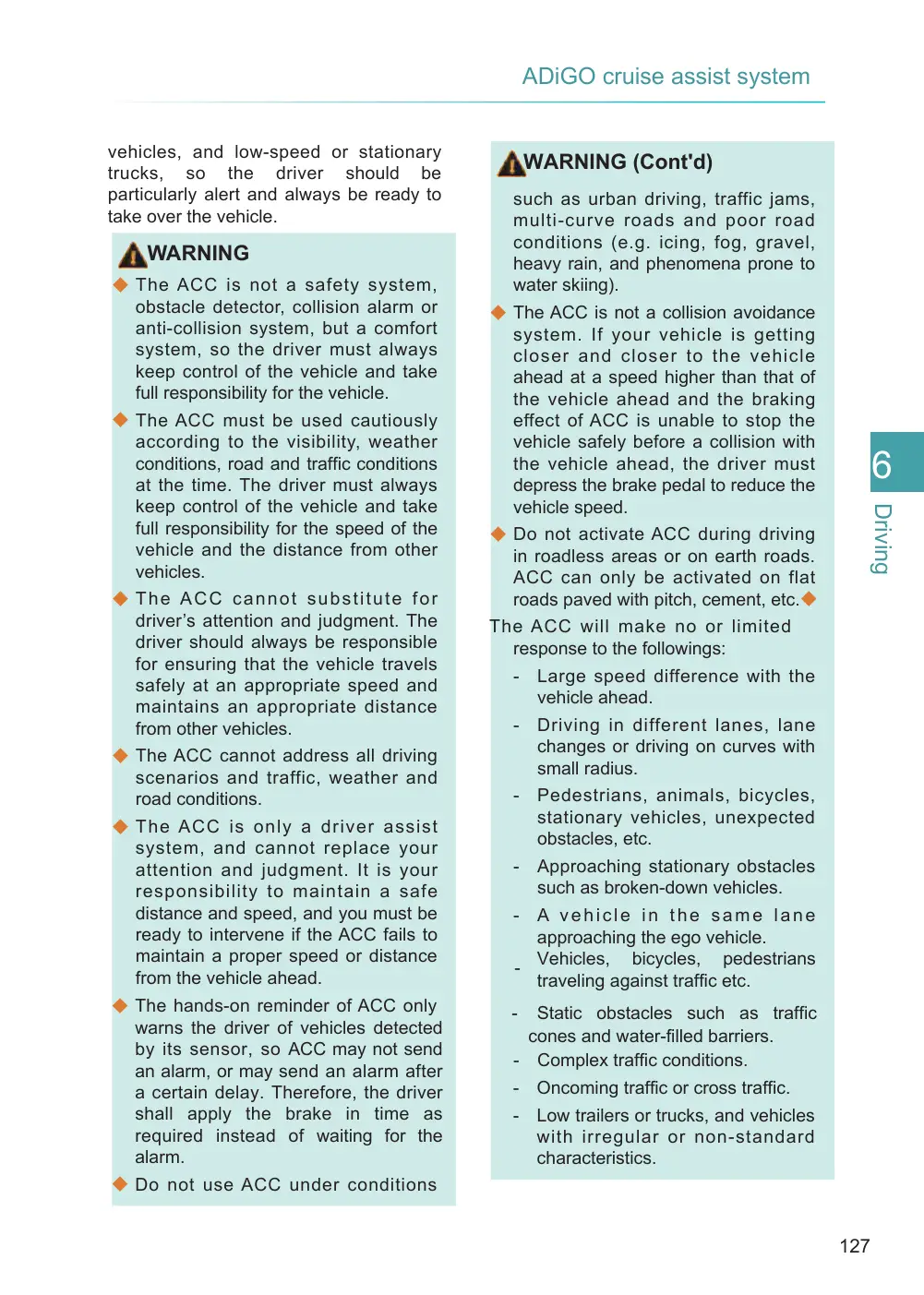
◆ The ACC is not a safety system, obstacle detector, collision alarm or anti-collision system, but a comfort system, so the driver must always keep control of the vehicle and take full responsibility for the vehicle.
◆ The ACC must be used cautiously according to the visibility, weather conditions, road and traffic conditions at the time. The driver must always keep control of the vehicle and take full responsibility for the speed of the vehicle and the distance from other vehicles.
◆ The ACC cannot substitute for driver’s attention and judgment. The driver should always be responsible for ensuring that the vehicle travels safely at an appropriate speed and maintains an appropriate distance from other vehicles.
◆ The ACC cannot address all driving scenarios and traffic, weather and road conditions.
◆ The ACC is only a driver assist system, and cannot replace your attention and judgment. It is your responsibility to maintain a safe distance and speed, and you must be ready to intervene if the ACC fails to maintain a proper speed or distance from the vehicle ahead.
◆ The hands-on reminder of ACC only warns the driver of vehicles detected by its sensor, so ACC may not send an alarm, or may send an alarm after a certain delay. Therefore, the driver shall apply the brake in time as required instead of waiting for the alarm.
WARNING (Cont'd)
such as urban driving, traffic jams, multi-curve roads and poor road conditions (e.g. icing, fog, gravel, heavy rain, and phenomena prone to water skiing).
◆ The ACC is not a collision avoidance system. If your vehicle is getting closer and closer to the vehicle ahead at a speed higher than that of the vehicle ahead and the braking effect of ACC is unable to stop the vehicle safely before a collision with the vehicle ahead, the driver must depress the brake pedal to reduce the vehicle speed.
◆ Do not activate ACC during driving in roadless areas or on earth roads. ACC can only be activated on flat roads paved with pitch, cement, etc.◆
The ACC will make no or limited response to the followings:
Large speed difference with the vehicle ahead.
Driving in different lanes, lane changes or driving on curves with small radius.
Pedestrians, animals, bicycles, stationary vehicles, unexpected obstacles, etc.
Approaching stationary obstacles such as broken-down vehicles.
A vehicle in the same lane approaching the ego vehicle. - Vehicles, bicycles, pedestrians traveling against traffic etc.
Static obstacles such as traffic cones and water-filled barriers. - Complex traffic conditions.
Oncoming traffic or cross traffic.
Low trailers or trucks, and vehicles with irregular or non-standard characteristics.
Page 128
WARNING (Cont’d)
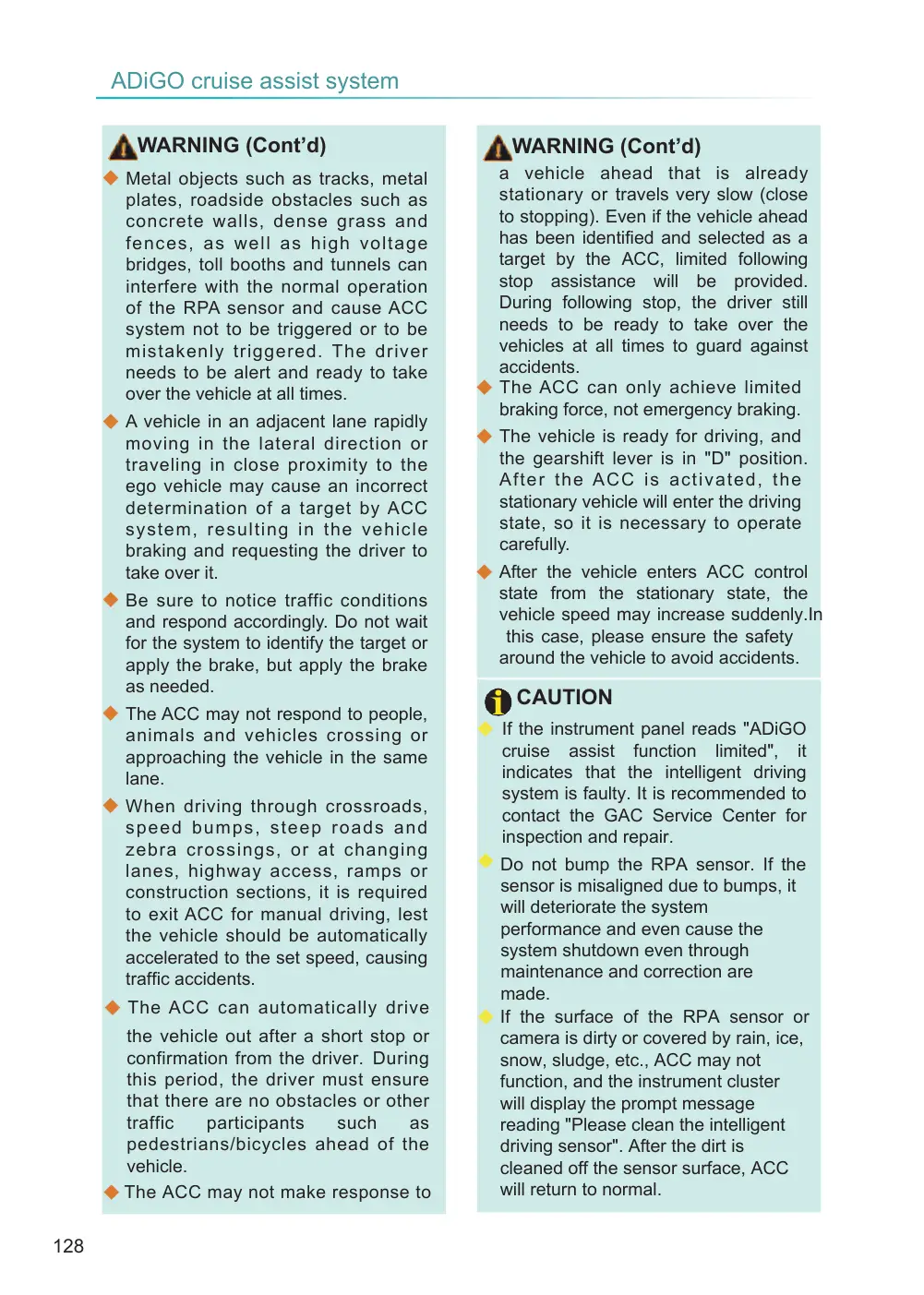
◆ Metal objects such as tracks, metal plates, roadside obstacles such as concrete walls, dense grass and fences, as well as high voltage bridges, toll booths and tunnels can interfere with the normal operation of the RPA sensor and cause ACC system not to be triggered or to be mistakenly triggered. The driver needs to be alert and ready to take over the vehicle at all times.
◆ A vehicle in an adjacent lane rapidly moving in the lateral direction or traveling in close proximity to the ego vehicle may cause an incorrect determination of a target by ACC system, resulting in the vehicle braking and requesting the driver to take over it.
◆ Be sure to notice traffic conditions and respond accordingly. Do not wait for the system to identify the target or apply the brake, but apply the brake as needed.
◆ The ACC may not respond to people, animals and vehicles crossing or approaching the vehicle in the same lane.
◆ When driving through crossroads, s peed b umps, steep roads and zebra crossings, or at changing lanes, highway access, ramps or construction sections, it is required to exit ACC for manual driving, lest the vehicle should be automatically accelerated to the set speed, causing traffic accidents.
◆ The ACC can automatically drive
the vehicle out after a short stop or confirmation from the driver. During this period, the driver must ensure that there are no obstacles or other traffic participants such as pedestrians/bicycles ahead of the vehicle. ◆ The ACC may not make response to
WARNING (Cont’d)
a vehicle ahead that is already stationary or travels very slow (close to stopping). Even if the vehicle ahead has been identified and selected as a target by the ACC, limited following stop assistance will be provided. During following stop, the driver still needs to be ready to take over the vehicles at all times to guard against accidents. ◆ The ACC can only achieve limited braking force, not emergency braking.
◆ The vehicle is ready for driving, and the gearshift lever is in "D" position. After t h e AC C i s a c t i v a t e d , t h e stationary vehicle will enter the driving state, so it is necessary to operate carefully.
◆ After the vehicle enters ACC control state from the stationary state, the vehicle speed may increase suddenly.In this case, please ensure the safety around the vehicle to avoid accidents.
CAUTION
◆ If the instrument panel reads "ADiGO cruise assist function limited", it indicates that the intelligent driving system is faulty. It is recommended to contact the GAC Service Center for inspection and repair. ◆ Do not bump the RPA sensor. If the sensor is misaligned due to bumps, it will deteriorate the system performance and even cause the system shutdown even through maintenance and correction are made. ◆ If the surface of the RPA sensor or camera is dirty or covered by rain, ice, snow, sludge, etc., ACC may not function, and the instrument cluster will display the prompt message reading "Please clean the intelligent driving sensor". After the dirt is cleaned off the sensor surface, ACC will return to normal.
Page 129
CAUTION (Cont'd)
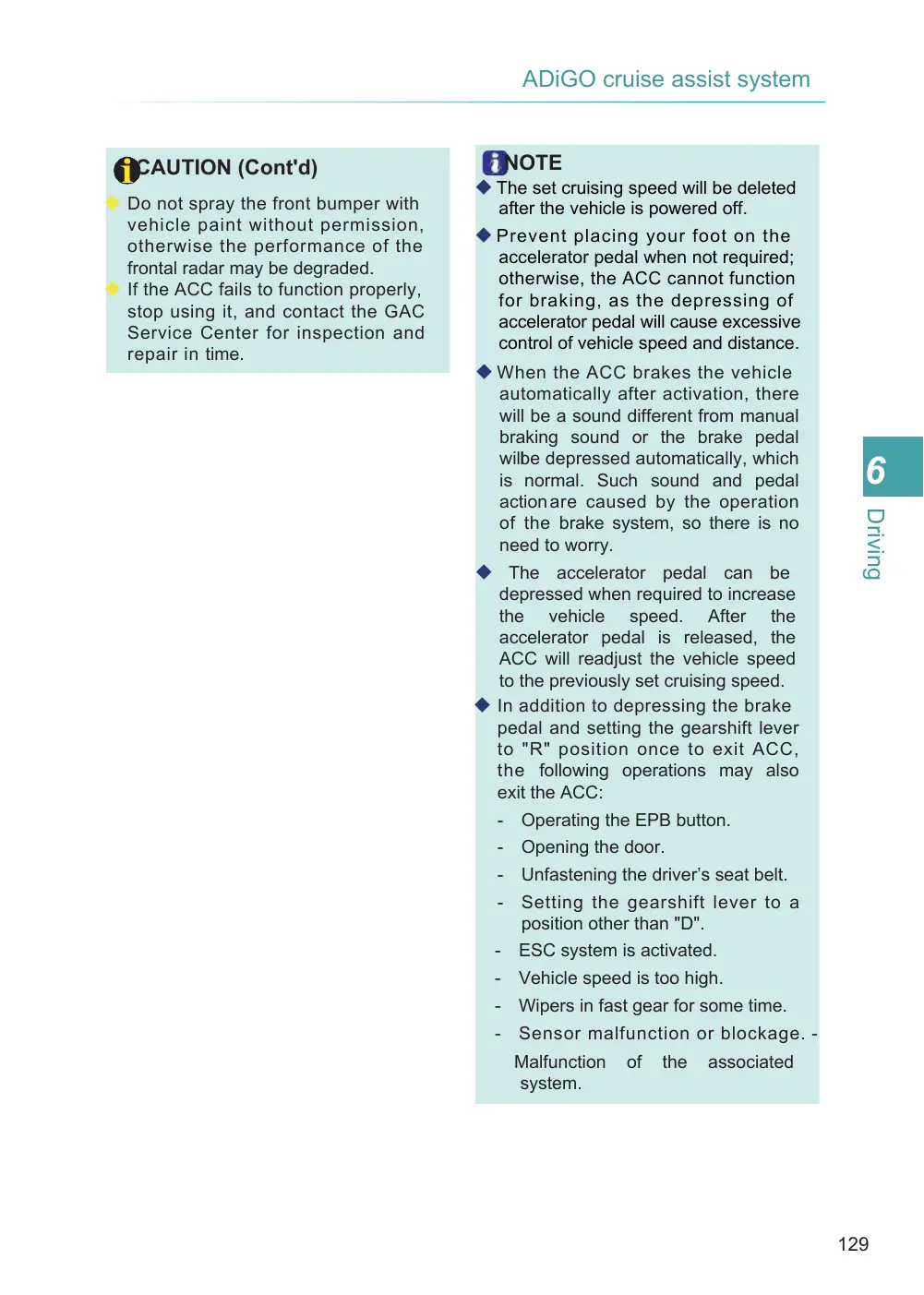
◆ Do not spray the front bumper with vehicle paint without permission, otherwise the performance of the frontal radar may be degraded. ◆ If the ACC fails to function properly, stop using it, and contact the GAC Service Center for inspection and repair in time.
NOTE
◆ The set cruising speed will be deleted after the vehicle is powered off.
◆ Prevent placing your foot on the accelerator pedal when not required; otherwise, the ACC cannot function for braking, as the depressing of accelerator pedal will cause excessive control of vehicle speed and distance.
◆ When the ACC brakes the vehicle automatically after activation, there will be a sound different from manual braking sound or the brake pedal will be depressed automatically, which is normal. Such sound and pedal action are caused by the operation of the brake system, so there is no need to worry.
◆ The accelerator pedal can be depressed when required to increase the vehicle speed. After the accelerator pedal is released, the ACC will readjust the vehicle speed to the previously set cruising speed. ◆ In addition to depressing the brake pedal and setting the gearshift lever to "R" position once to exit ACC, the following operations may also exit the ACC:
Operating the EPB button.
Opening the door.
Unfastening the driver’s seat belt.
Setting the gearshift lever to a position other than "D". ESC system is activated.
Vehicle speed is too high.
Wipers in fast gear for some time.
Sensor malfunction or blockage. -
Malfunction system.
of
the
associated