Intelligent Speed Assistance (ISA)
Text of these pages
Page 111
Intelligent Speed Assistance (ISA)
The Intelligent Speed Assistance (ISA) system detects traffic signs on the road ahead through a camera and combines this information with map navigation data to provide the driver with speed limit information in the instrument cluster and reminds the driver of overspeed.
Turning on and off Intelligent Speed Assistance (ISA)
When the vehicle's power is turned on, Intelligent Speed Assistance (ISA) is enabled by default.
Intelligent Speed Assistance (ISA) can be enabled or disabled through the center console display.
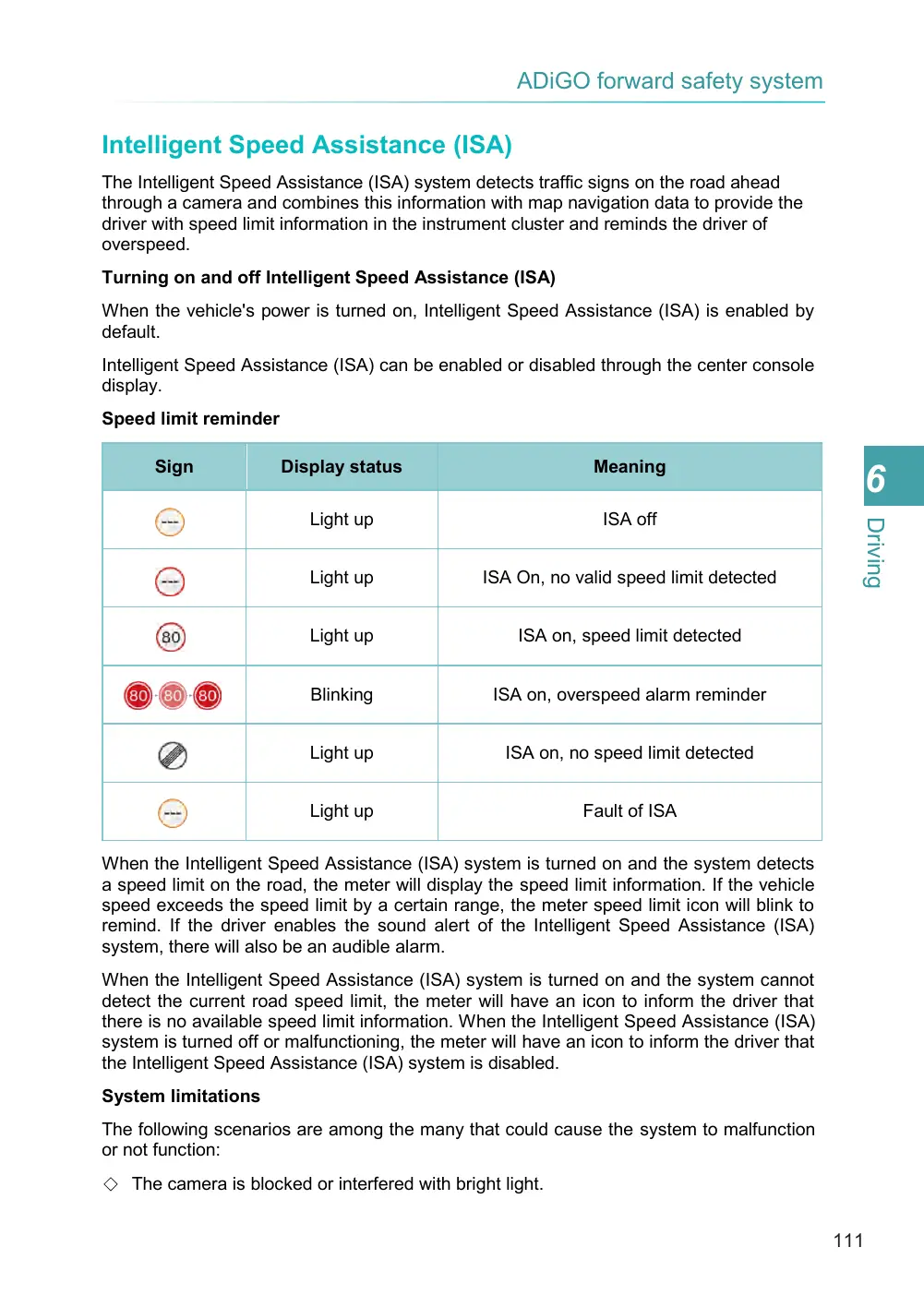
When the Intelligent Speed Assistance (ISA) system is turned on and the system detects a speed limit on the road, the meter will display the speed limit information. If the vehicle speed exceeds the speed limit by a certain range, the meter speed limit icon will blink to remind. If the driver enables the sound alert of the Intelligent Speed Assistance (ISA) system, there will also be an audible alarm.
When the Intelligent Speed Assistance (ISA) system is turned on and the system cannot detect the current road speed limit, the meter will have an icon to inform the driver that there is no available speed limit information. When the Intelligent Speed Assistance (ISA) system is turned off or malfunctioning, the meter will have an icon to inform the driver that the Intelligent Speed Assistance (ISA) system is disabled.
The following scenarios are among the many that could cause the system to malfunction or not function:
Speed limit reminder
Sign
Display status
Light up
Light up
Light up
Blinking
Light up
Light up
System limitations
Meaning
ISA off
ISA On, no valid speed limit detected
ISA on, speed limit detected
ISA on, overspeed alarm reminder
ISA on, no speed limit detected
Fault of ISA
Page 112
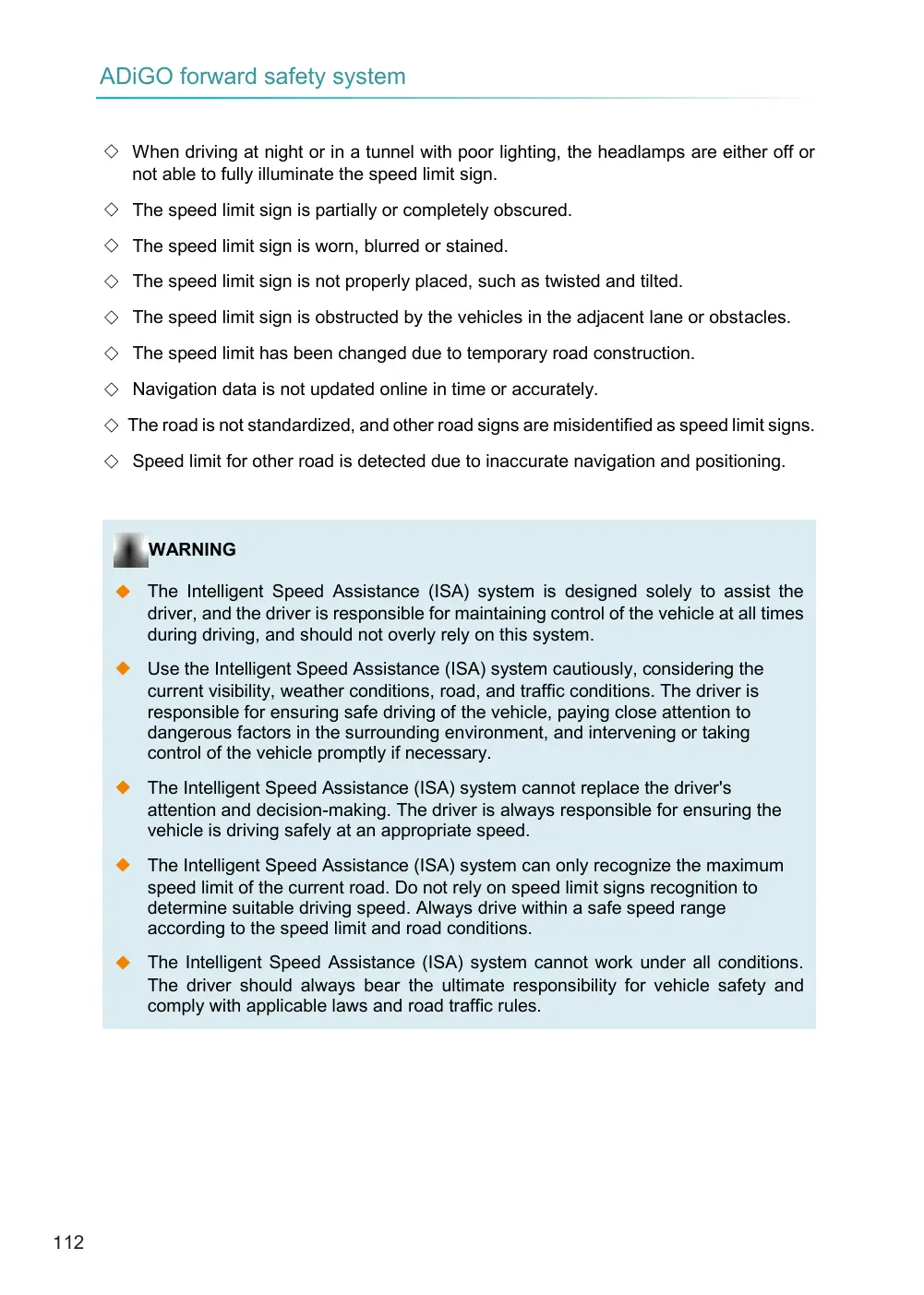
◇ When driving at night or in a tunnel with poor lighting, the headlamps are either off or not able to fully illuminate the speed limit sign.
◇ The speed limit sign is partially or completely obscured.
◇ The speed limit sign is worn, blurred or stained.
◇ The speed limit sign is not properly placed, such as twisted and tilted.
◇ The speed limit sign is obstructed by the vehicles in the adjacent lane or obstacles.
◇ The speed limit has been changed due to temporary road construction.
◇ Navigation data is not updated online in time or accurately.
◇ The road is not standardized, and other road signs are misidentified as speed limit signs.
◇ Speed limit for other road is detected due to inaccurate navigation and positioning.
◆ The Intelligent Speed Assistance (ISA) system is designed solely to assist the driver, and the driver is responsible for maintaining control of the vehicle at all times during driving, and should not overly rely on this system.
◆ Use the Intelligent Speed Assistance (ISA) system cautiously, considering the current visibility, weather conditions, road, and traffic conditions. The driver is responsible for ensuring safe driving of the vehicle, paying close attention to dangerous factors in the surrounding environment, and intervening or taking control of the vehicle promptly if necessary.
◆ The Intelligent Speed Assistance (ISA) system cannot replace the driver's attention and decision-making. The driver is always responsible for ensuring the vehicle is driving safely at an appropriate speed.
◆ The Intelligent Speed Assistance (ISA) system can only recognize the maximum speed limit of the current road. Do not rely on speed limit signs recognition to determine suitable driving speed. Always drive within a safe speed range according to the speed limit and road conditions.
◆ The Intelligent Speed Assistance (ISA) system cannot work under all conditions. The driver should always bear the ultimate responsibility for vehicle safety and comply with applicable laws and road traffic rules.
WARNING