Voice assistant
Text of these pages
Page 77
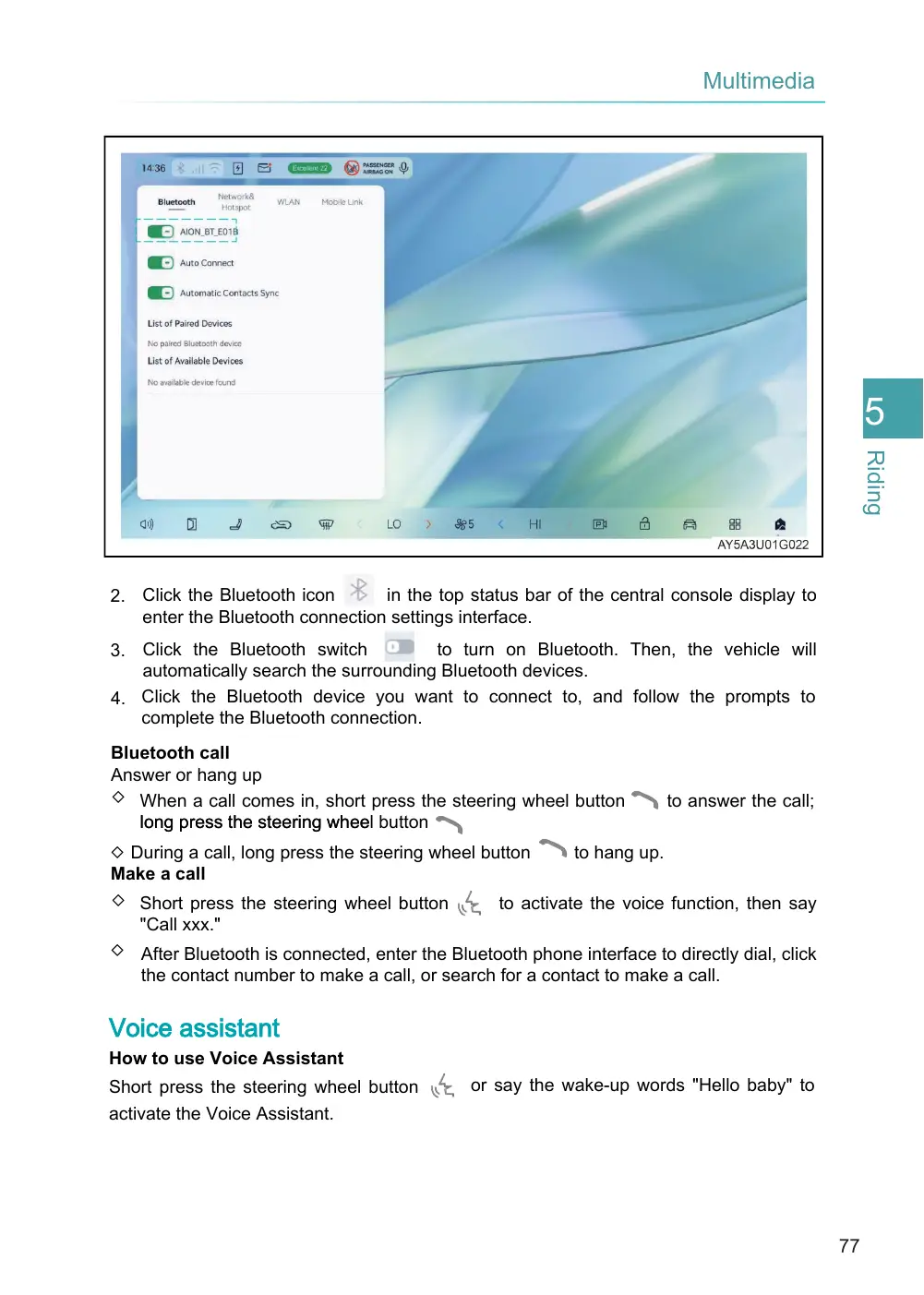
in the top status bar of the central console display to 2. Click the Bluetooth icon enter the Bluetooth connection settings interface.
to turn on Bluetooth. Then, the vehicle will 3. Click the Bluetooth switch automatically search the surrounding Bluetooth devices. 4. Click the Bluetooth device you want to connect to, and follow the prompts to complete the Bluetooth connection.
Bluetooth call Answer or hang up ◇ When a call comes in, short press the steering wheel button long press the steering whee l button
to hang up. ◇ During a call, long press the steering wheel button Make a call ◇ Short press the steering wheel button to activate the voice function, then say "Call xxx." ◇ After Bluetooth is connected, enter the Bluetooth phone interface to directly dial, click the contact number to make a call, or search for a contact to make a call.
Voice assistant
How to use Voice Assistant
Short press the steering wheel button activate the Voice Assistant.
to answer the call;
or say the wake-up words "Hello baby" to
Page 78
Voice Assistant will reply "Please speak", after being woken up. The interface will read "Listening". You can say the operation you want (e.g. I want to listen to music). Voice Assistant rapidly controls vehicle functions by identifying and executing voice commands, so as to enhance operation convenience.
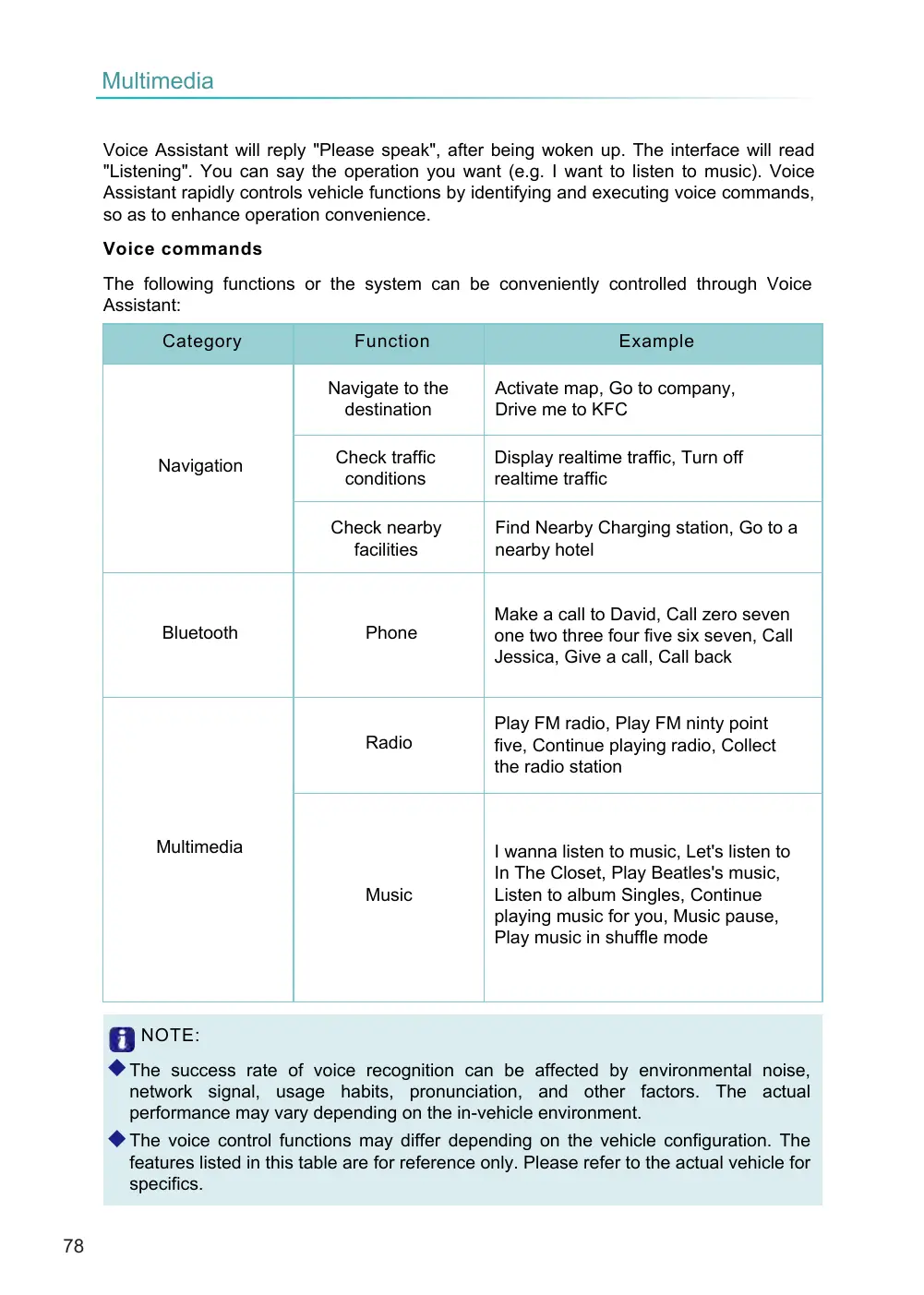
The following functions or the system can be conveniently controlled through Voice Assistant:
◆ The success rate of voice recognition can be affected by environmental noise, network signal, usage habits, pronunciation, and other factors. The actual performance may vary depending on the in-vehicle environment. ◆ The voice control functions may differ depending on the vehicle configuration. The features listed in this table are for reference only. Please refer to the actual vehicle for specifics.
Voice commands
Function
Category
Navigate to the destination
Check traffic conditions
Navigation
Check nearby facilities
Bluetooth
Phone
Radio
Multimedia
Music
NOTE:
Example
Activate map, Go to company, Drive me to KFC
Display realtime traffic, Turn off realtime traffic
Find Nearby Charging station, Go to a nearby hotel
Make a call to David, Call zero seven one two three four five six seven, Call Jessica, Give a call, Call back
Play FM radio, Play FM ninty point five, Continue playing radio, Collect the radio station
I wanna listen to music, Let's listen to In The Closet, Play Beatles's music, Listen to album Singles, Continue playing music for you, Music pause, Play music in shuffle mode