Bluetooth call
Text of these pages
Page 76
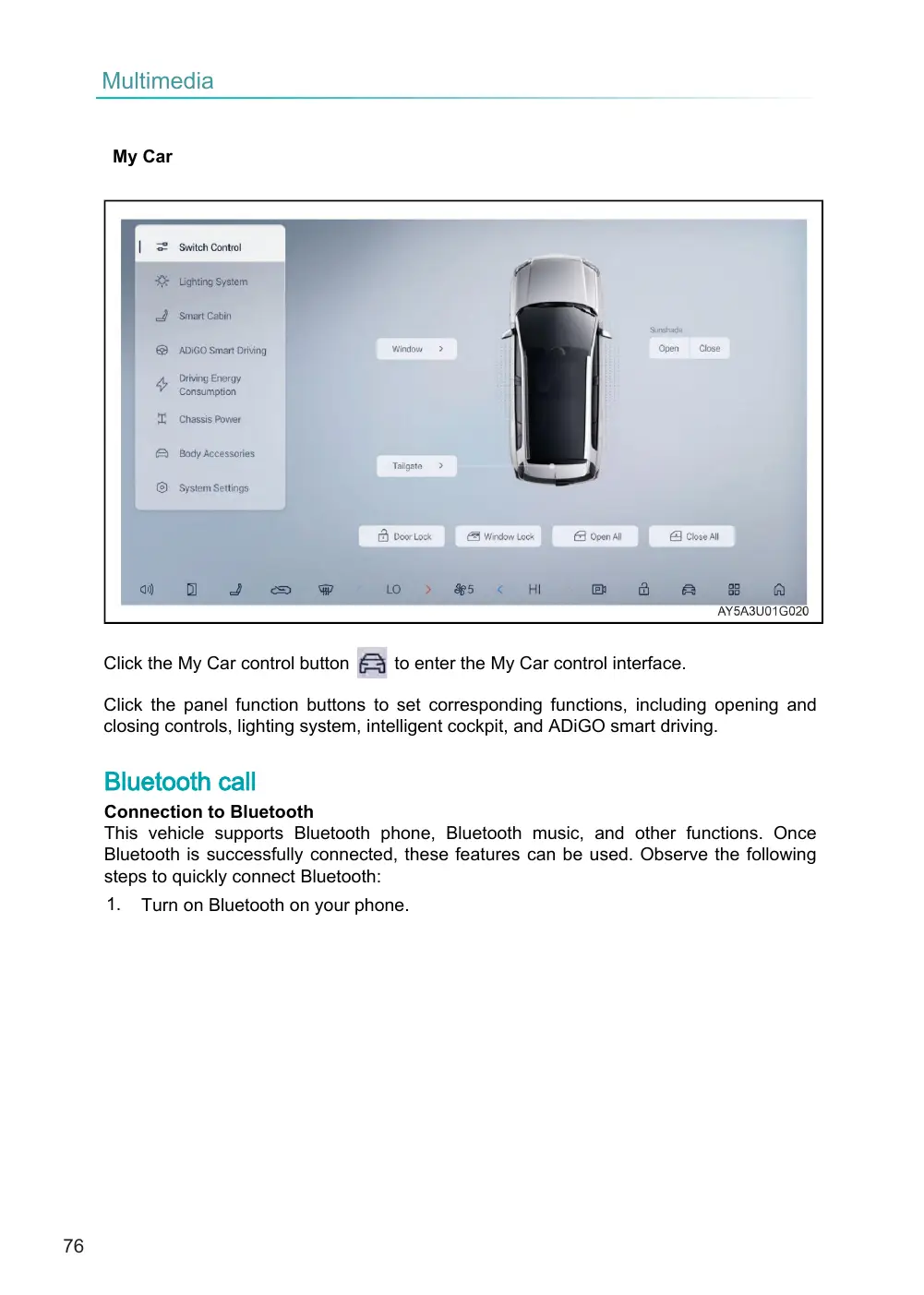
to enter the My Car control interface.
Click the panel function buttons to set corresponding functions, including opening and closing controls, lighting system, intelligent cockpit, and ADiGO smart driving.
Connection to Bluetooth This vehicle supports Bluetooth phone, Bluetooth music, and other functions. Once Bluetooth is successfully connected, these features can be used. Observe the following steps to quickly connect Bluetooth:
My Car
Click the My Car control button
Bluetooth call
1.
Turn on Bluetooth on your phone.
Page 77
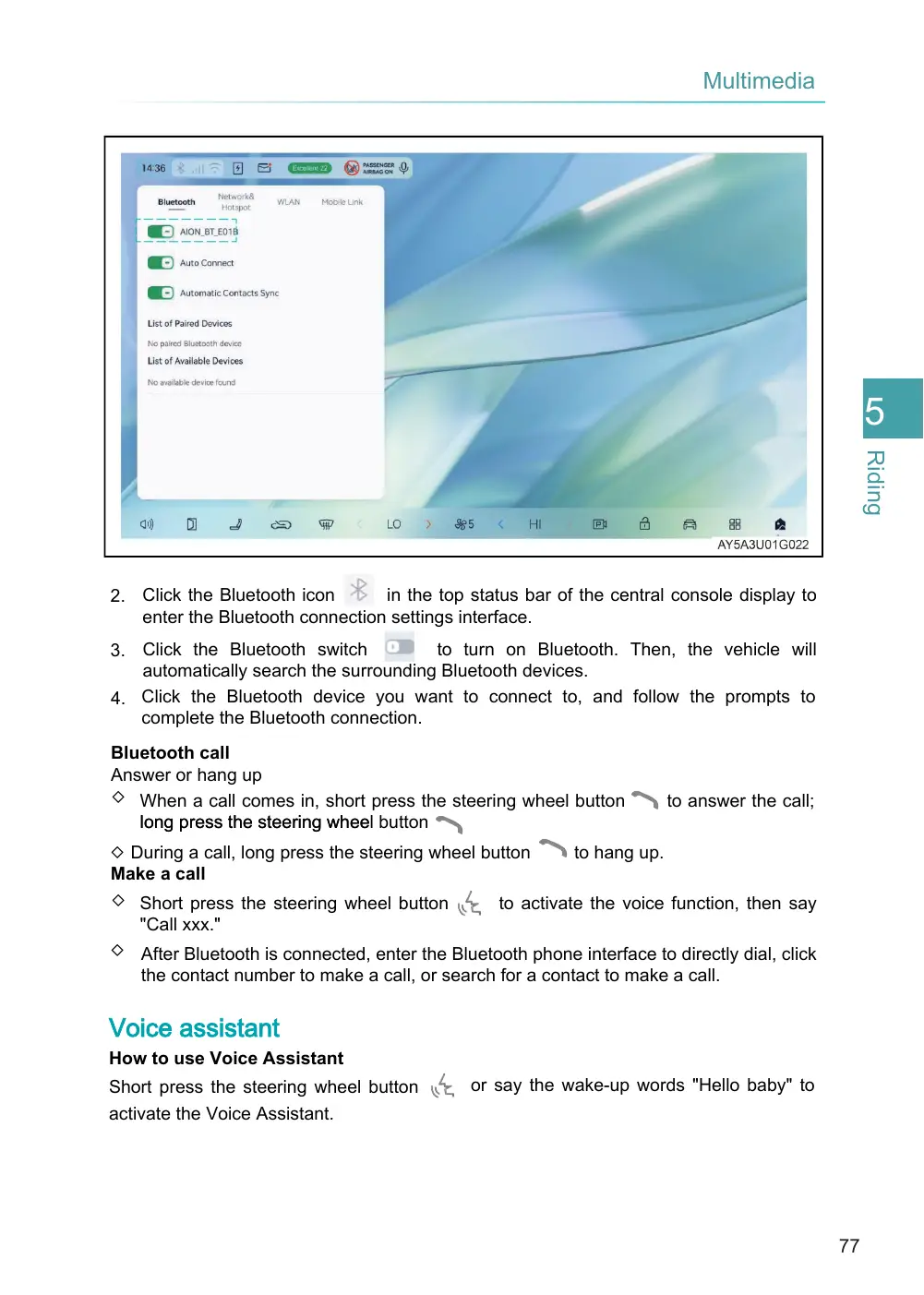
in the top status bar of the central console display to 2. Click the Bluetooth icon enter the Bluetooth connection settings interface.
to turn on Bluetooth. Then, the vehicle will 3. Click the Bluetooth switch automatically search the surrounding Bluetooth devices. 4. Click the Bluetooth device you want to connect to, and follow the prompts to complete the Bluetooth connection.
Bluetooth call Answer or hang up ◇ When a call comes in, short press the steering wheel button long press the steering whee l button
to hang up. ◇ During a call, long press the steering wheel button Make a call ◇ Short press the steering wheel button to activate the voice function, then say "Call xxx." ◇ After Bluetooth is connected, enter the Bluetooth phone interface to directly dial, click the contact number to make a call, or search for a contact to make a call.
Voice assistant
How to use Voice Assistant
Short press the steering wheel button activate the Voice Assistant.
to answer the call;
or say the wake-up words "Hello baby" to