Window control
Text of these pages
Page 52
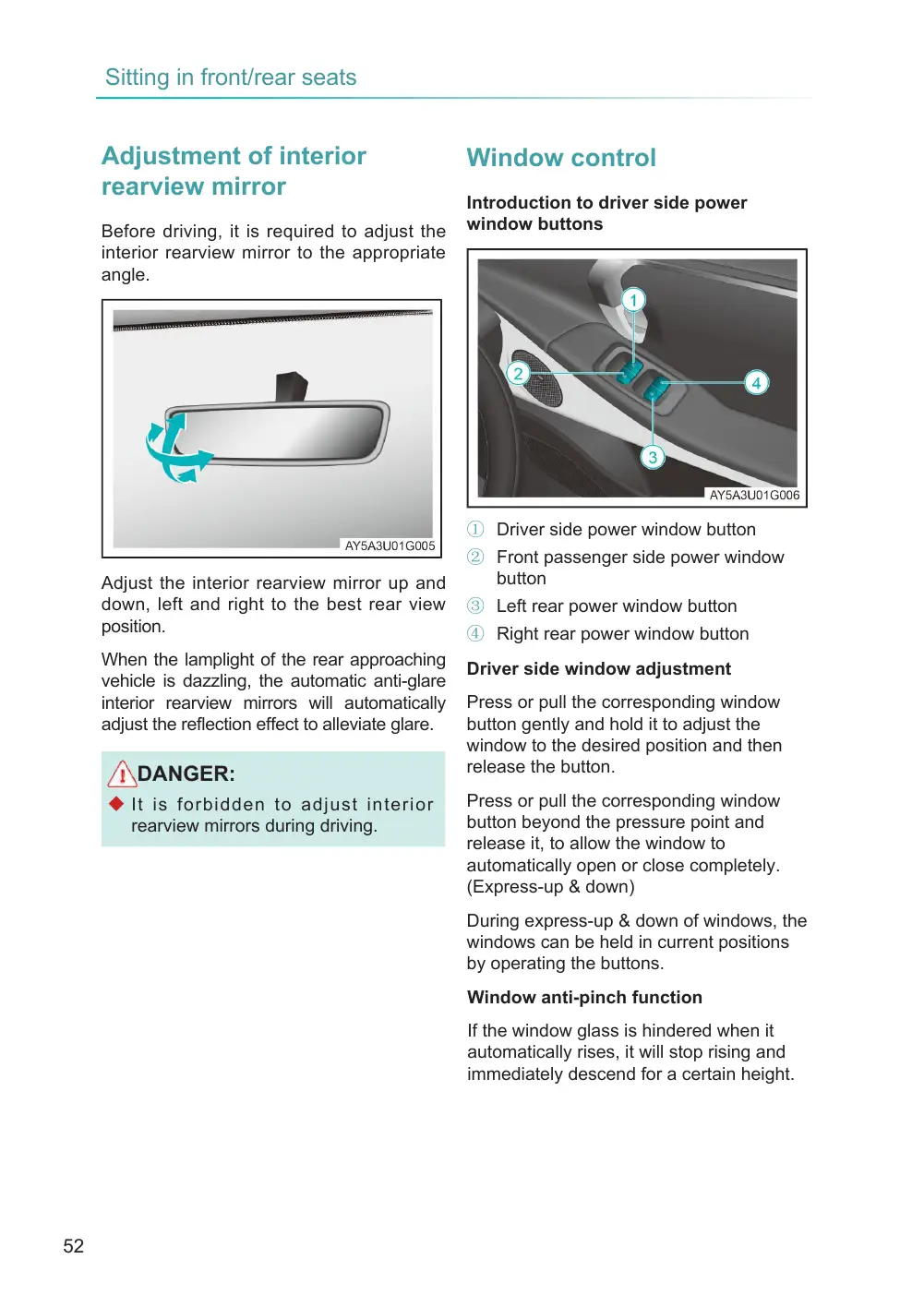
Adjustment of interior rearview mirror
Before driving, it is required to adjust the interior rearview mirror to the appropriate angle.
Adjust the interior rearview mirror up and down, left and right to the best rear view position.
When the lamplight of the rear approaching vehicle is dazzling, the automatic anti-glare interior rearview mirrors will automatically adjust the reflection effect to alleviate glare.
DANGER:
◆ It is forbidden to adjust interior rearview mirrors during driving.
Window control
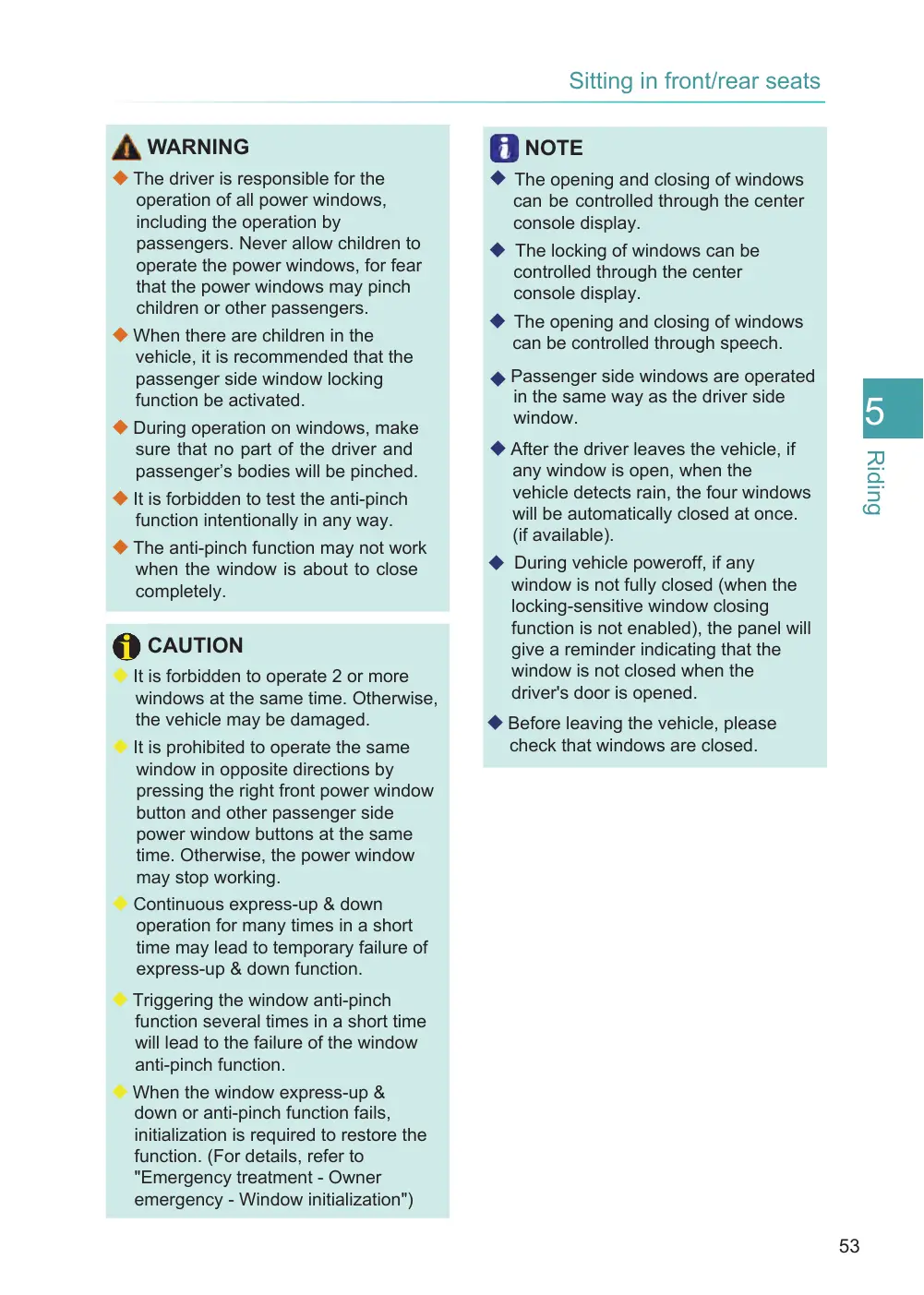
Introduction to driver side power window buttons
① Driver side power window button
② Front passenger side power window button
③ Left rear power window button
④ Right rear power window button
Driver side window adjustment
Press or pull the corresponding window button gently and hold it to adjust the window to the desired position and then release the button.
Press or pull the corresponding window button beyond the pressure point and release it, to allow the window to automatically open or close completely. (Express-up & down)
During express-up & down of windows, the windows can be held in current positions by operating the buttons.
Window anti-pinch function
If the window glass is hindered when it automatically rises, it will stop rising and immediately descend for a certain height.
Page 53
WARNING
◆ The driver is responsible for the operation of all power windows, including the operation by passengers. Never allow children to operate the power windows, for fear that the power windows may pinch children or other passengers.
◆ When there are children in the vehicle, it is recommended that the passenger side window locking function be activated.
◆ During operation on windows, make sure that no part of the driver and passenger’s bodies will be pinched.
◆ It is forbidden to test the anti-pinch function intentionally in any way.
◆ The anti-pinch function may not work when the window is about to close completely.
CAUTION
◆ It is forbidden to operate 2 or more windows at the same time. Otherwise, the vehicle may be damaged.
◆ It is prohibited to operate the same window in opposite directions by pressing the right front power window button and other passenger side power window buttons at the same time. Otherwise, the power window may stop working.
◆ Continuous express-up & down operation for many times in a short time may lead to temporary failure of express-up & down function.
◆ Triggering the window anti-pinch function several times in a short time will lead to the failure of the window anti-pinch function.
◆ When the window express-up & down or anti-pinch function fails, initialization is required to restore the function. (For details, refer to "Emergency treatment - Owner emergency - Window initialization")
NOTE
◆ The opening and closing of windows can be controlled through the center console display.
◆ The locking of windows can be controlled through the center console display.
◆ The opening and closing of windows can be controlled through speech.
◆ Passenger side windows are operated in the same way as the driver side window.
◆ After the driver leaves the vehicle, if any window is open, when the vehicle detects rain, the four windows will be automatically closed at once. (if available).
◆ During vehicle poweroff, if any window is not fully closed (when the locking-sensitive window closing function is not enabled), the panel will give a reminder indicating that the window is not closed when the driver's door is opened.
◆ Before leaving the vehicle, please check that windows are closed.