Unlocking outside the vehicle
Text of these pages
Page 14
Locating of vehicle
You can roughly locate your vehicle through the GAC APP, if you forget where you parked it. Then, please use the GAC APP for lamp flashing and horning or use the vehicle locating function of the smart key for audible and visible alarms, when you are in the vicinity of your vehicle.
Locate the vehicle through the App
View the parking location through the GAC APP.
Vehicle locating via the smart key
After you are in the vicinity of vehicle, press the locking button on the smart key 2 times quickly, and after this, the vehicle will give audible and visible alarms to remind you of the location of the vehicle.
Unlocking outside the vehicle
Unlocking by smart key button
With the vehicle locked, press the unlocking
button once
within the effective range
of the smart key to unlock the vehicle.
Intelligent active unlocking
When the intelligent active unlocking function is switched on in the center console display and you walk to the locked vehicle with smart key in hand, the vehicle will be automatically unlocked.
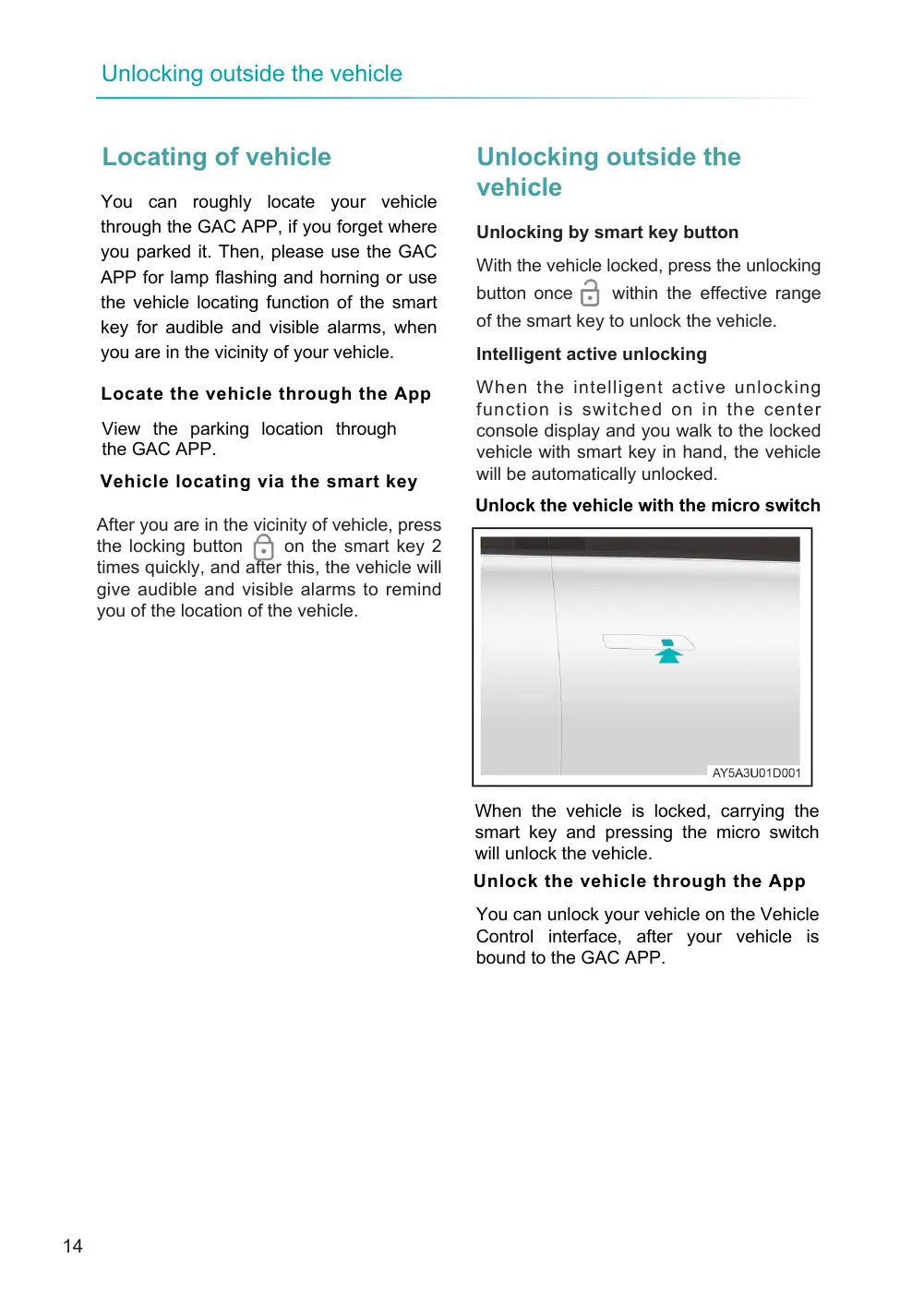
Unlock the vehicle with the micro switch
When the vehicle is locked, carrying the smart key and pressing the micro switch will unlock the vehicle.
Unlock the vehicle through the App
You can unlock your vehicle on the Vehicle Control interface, after your vehicle is bound to the GAC APP.
Page 15
NOTE
◆ The horn alarm for vehicle locking/ unlocking can be switched on/off in the center console display.
◆ If no operation is made within a certain period after the vehicle is unlocked, the door will lock automatically. ◆ Remote vehicle control is subject to the network environment, and it may not work. Never lock your smart key in your vehicle through the remote vehicle control function.