Binding of vehicle
Text of these pages
Page 7
GAC APP
The GAC APP is an official platform that provides the owner with professional skills and knowledge to use the vehicle and convenient remote vehicle control services.
You can access convenient functions, such as vehicle condition inquiry, vehicle setting, and vehicle sharing through the GAC APP.
Please search "GAC" in "App Market" to download and install it.
NOTE
◆ The GAC APP screens involved in the Manual are only applicable to the current version. In case of screen or procedure changes due to such reasons as software version updates, the latest screens will prevail. ◆ The GAC APP-based functions are associated with your vehicle configurations. Some functions may not be available to your vehicle. The specific functions will be subject to your vehicle configurations.
Binding of vehicle
In order to active your account of the GAC APP and bind your vehicle, please observe the followings:
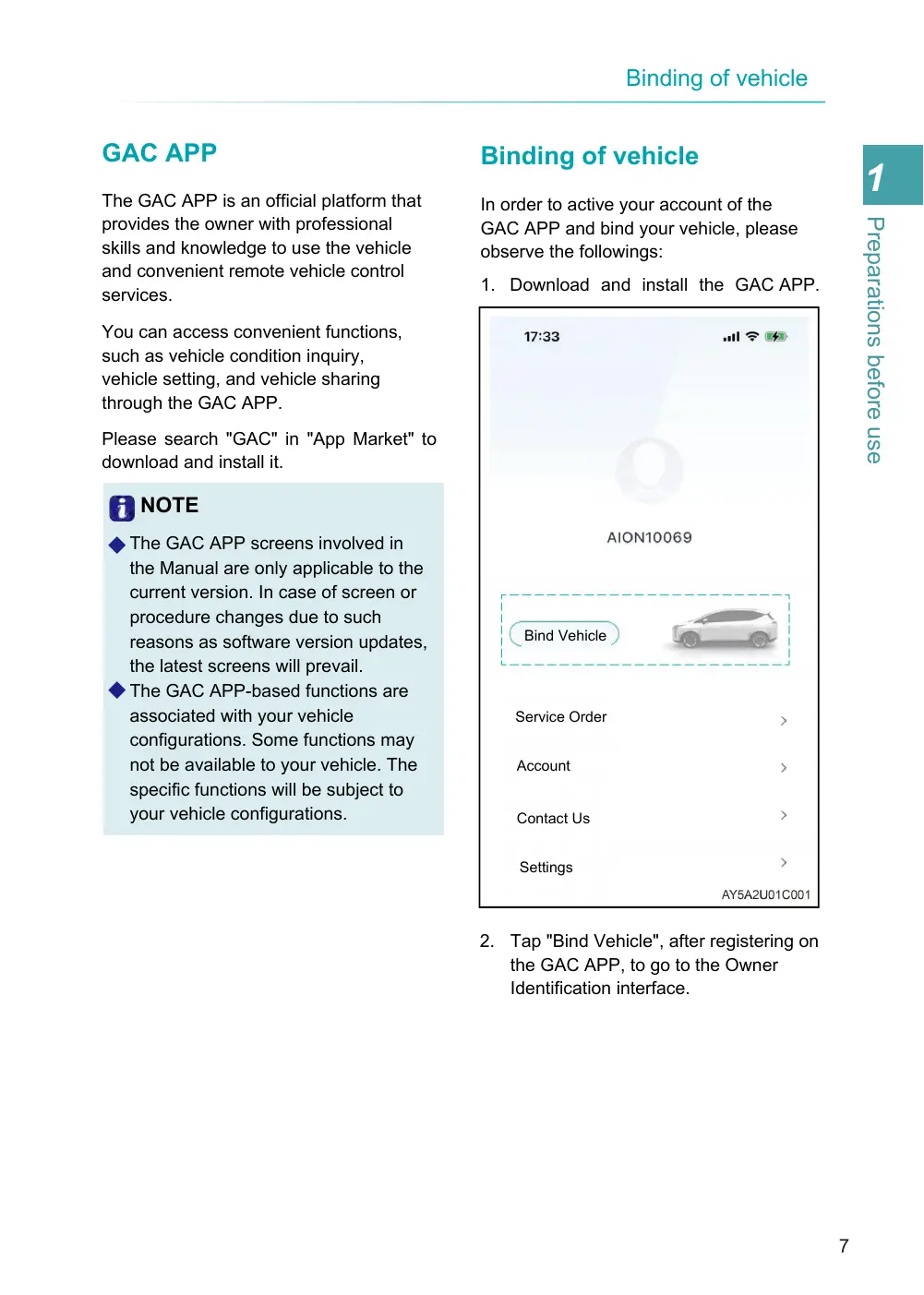
1. Download and install the GAC APP.
Bind Vehicle
Service Order
Account
Contact Us
Settings
2. Tap "Bind Vehicle", after registering on the GAC APP, to go to the Owner Identification interface.
Page 8
Bind Vehicle
VIN Code
Enter VIN Code
Motor No.
Enter Motor No.
Vertification Code
Enter Vertification Code
Send
Name
First Name
Last Name
I have read and agreed with the Privacy Agreement on Internet of Vehicles Services
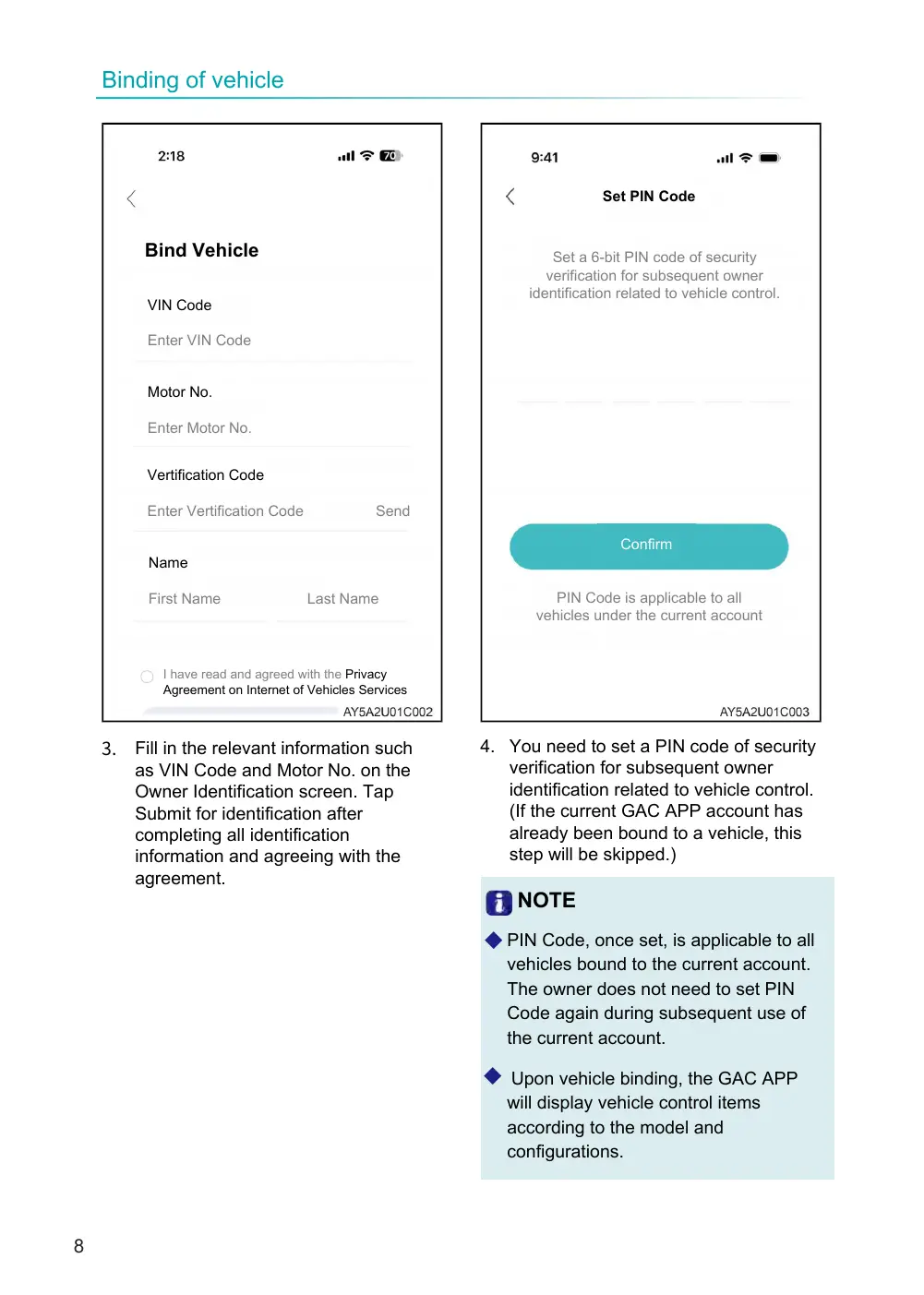
3. Fill in the relevant information such as VIN Code and Motor No. on the Owner Identification screen. Tap Submit for identification after completing all identification information and agreeing with the agreement.
Set PIN Code
Set a 6-bit PIN code of security verification for subsequent owner identification related to vehicle control.
Confirm
PIN Code is applicable to all vehicles under the current account
4. You need to set a PIN code of security verification for subsequent owner identification related to vehicle control. (If the current GAC APP account has already been bound to a vehicle, this step will be skipped.)
NOTE
◆ PIN Code, once set, is applicable to all vehicles bound to the current account. The owner does not need to set PIN Code again during subsequent use of the current account.
◆ Upon vehicle binding, the GAC APP will display vehicle control items according to the model and configurations.