AION APP
Text of this page
Page 7
GAC APP
The GAC APP is an official platform that provides the owner with professional skills and knowledge to use the vehicle and convenient remote vehicle control services.
You can access convenient functions, such as vehicle condition inquiry, vehicle setting, and vehicle sharing through the GAC APP.
Please search "GAC" in "App Market" to download and install it.
NOTE
◆ The GAC APP screens involved in the Manual are only applicable to the current version. In case of screen or procedure changes due to such reasons as software version updates, the latest screens will prevail. ◆ The GAC APP-based functions are associated with your vehicle configurations. Some functions may not be available to your vehicle. The specific functions will be subject to your vehicle configurations.
Binding of vehicle
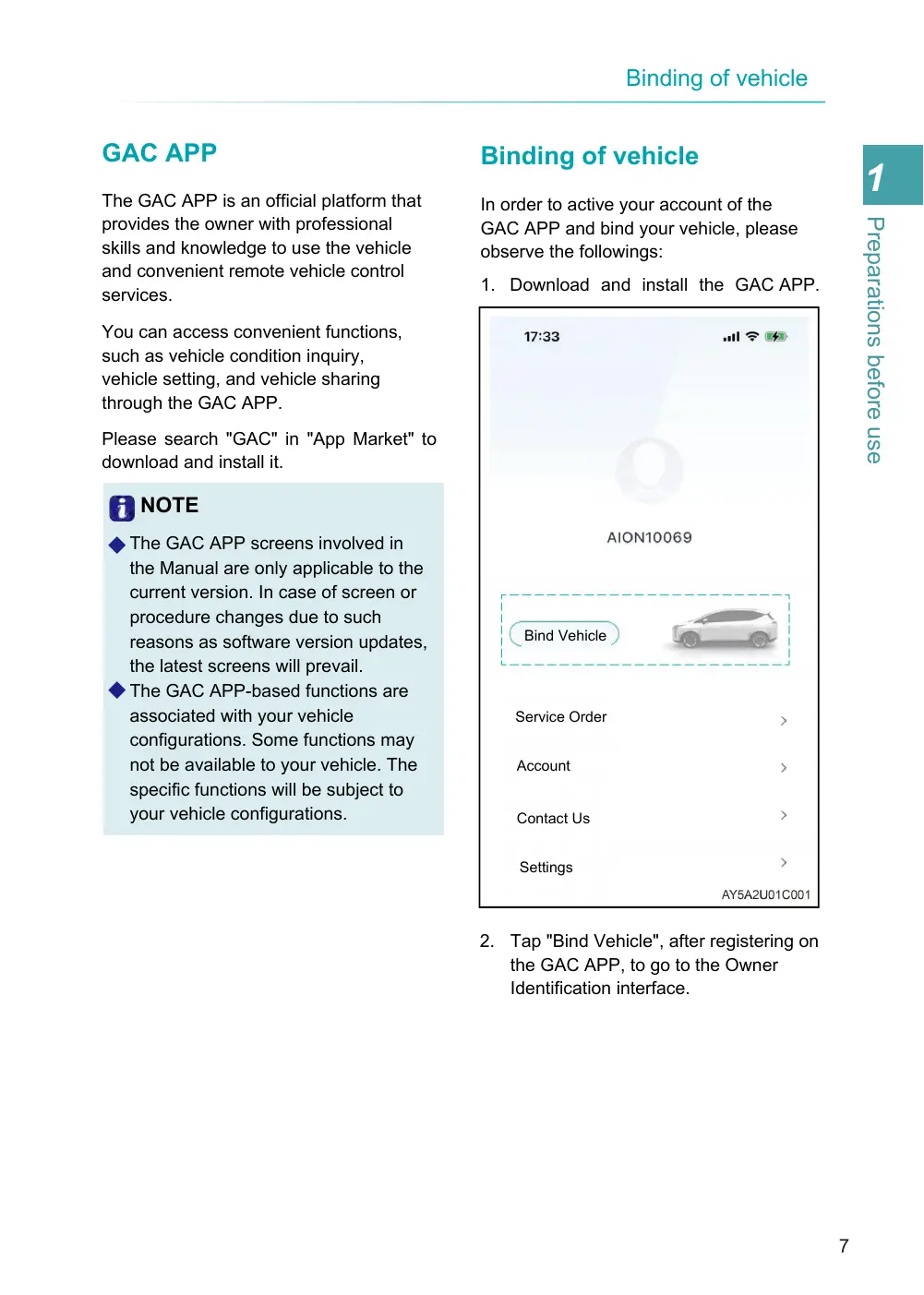
In order to active your account of the GAC APP and bind your vehicle, please observe the followings:
1. Download and install the GAC APP.
Bind Vehicle
Service Order
Account
Contact Us
Settings
2. Tap "Bind Vehicle", after registering on the GAC APP, to go to the Owner Identification interface.